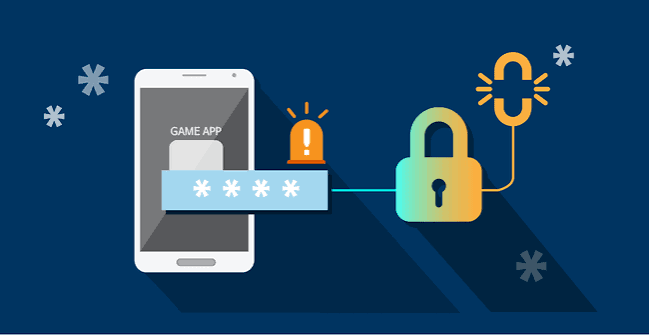

A search for the okplay apk latest version can lead to genuine update information, outdated mirrors, or modified files that only claim to be current. Updating a gaming application is important for compatibility and security, but installing the wrong package can be more dangerous than using an older one for a short time. The safest process starts by confirming whether an update is required, finding the verified distribution channel, and protecting account credentials before any file is opened.
Why Gaming Apps Receive Updates
Developers release updates to correct bugs, support newer Android versions, improve navigation, strengthen encryption, and maintain connections with game or payment providers. An update may also change the lobby layout, remove an unavailable title, or revise account features. Not every release brings a visible redesign; some of the most valuable changes happen behind the interface.
Security fixes deserve prompt attention because an old component may contain a known weakness. At the same time, an unexpected message saying an update is urgent can be a phishing tactic. The goal is not to install quickly at any cost. It is to confirm the release through a source controlled or clearly identified by the platform.
Check the Installed Version First
Open the app’s information screen or the Android settings page and record the version number. Compare it with the number and release date published by the verified source. A different file name does not necessarily mean a newer version, and a higher-looking number on a mirror site is not proof of authenticity.
If the application works through a browser or home-screen shortcut, there may be no package to update. Refreshing the page or clearing a limited amount of cache may load the current interface automatically. Determine which access method is actually being used before downloading anything.
Use the Same Verified Distribution Channel
Updates should normally come from the same official app store, website, or in-app process used for the original installation. Avoid packages circulated through social media comments, messaging groups, file lockers, and unofficial download collections. Attackers often reuse a familiar logo and add words such as premium, unlocked, or latest to make a modified file attractive.
Carefully inspect the full web address and the Android publisher details. If the platform supplies a checksum, compare it after download. The digital signing certificate should remain consistent between versions; Android may refuse an update when the signature differs. Do not uninstall a trusted copy merely to force an unfamiliar package onto the device.
Back Up What Matters, Not Sensitive Secrets
Most account balances and histories are stored online, but it is still wise to confirm that recovery details are current before an update. Save the official support channel, remember which email or phone number is attached, and store the unique password in a password manager. Keep two-factor recovery codes in a secure location.
Do not back up passwords, wallet PINs, or one-time codes in an unprotected note or screenshot. An update should never require the user to send credentials to a support representative. If the app asks for the full password outside its normal sign-in screen, stop and verify what has been installed.
Review Permissions After Every Major Release
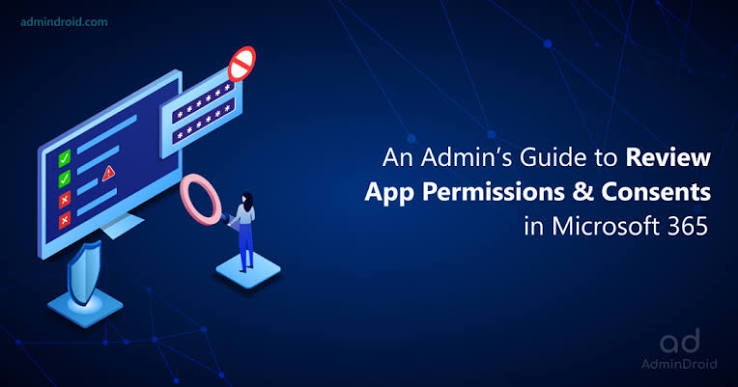
Android may show new permission requests when an update adds features. Compare each request with what the app actually needs. Basic internet access and notifications may be understandable, but contacts, accessibility controls, device administration, call logs, text messages, or continuous microphone access require a strong explanation. Convenience is not enough reason to expose unrelated personal data.
Open the Android permission manager after installation and disable anything that is not necessary. Also review whether the app can install other packages, appear over other apps, or run unrestricted in the background. These powerful privileges can be abused by malicious software and should not be granted casually.
Handle Installation Errors Safely
An update may fail because storage is low, the file is incomplete, Android is unsupported, or the signing certificate does not match. Free space by removing unnecessary downloads rather than deleting important security tools. Reboot the device, confirm the connection, and download again only from the verified source.
Do not follow a random tutorial that instructs users to disable Play Protect, antivirus scanning, certificate checks, or all installation safeguards. If a legitimate package is being blocked, official support should be able to explain the compatibility requirement. A safer alternative may be the mobile website until the issue is resolved.
Test the Updated App Before Using the Cashier
After an update, open the lobby and confirm that navigation, support links, account details, and responsible-gaming settings appear normal. Check that the destination addresses match the known platform. Do not deposit immediately if the app redirects unexpectedly, displays unfamiliar payment recipients, or asks for additional sensitive information.
A small nonfinancial test can reveal problems: browse categories, read a game information page, review transaction history, and sign out. If the app crashes, capture the version number and error message without exposing private details. Clear only the application’s cache first; clearing all data may remove the session and local settings.
Know When to Roll Back or Remove the App
Installing an old package from an unknown archive is rarely a safe rollback strategy. If a verified update is unstable, use the browser version or wait for an official fix. Report the device model, Android version, and app version through the published support channel. Avoid sending screenshots containing account numbers, balances, identity documents, or payment credentials.
Remove the app if security software identifies a threat, the publisher signature changes without explanation, or new behavior suggests credential theft. From a separate clean device, change the gaming and associated email passwords, review active sessions, and monitor payment accounts. Reinstall only after the source and file have been confirmed.
Keep the Wider Device Environment Healthy
An authentic app cannot fully protect an infected or neglected phone. Apply Android updates, use a strong screen lock, encrypt the device, and avoid rooting it solely to bypass compatibility restrictions. Remove unused sideloaded apps and review notification permissions so fraudulent messages are easier to notice.
Account alerts should be enabled for password changes, deposits, and withdrawals where available. Use a private network for payment activity and never allow remote-access software during a support conversation. A legitimate update process does not require a third party to control the screen.
Create a Sensible Update Routine
Check for verified releases periodically instead of reacting to every promotional message. Update when there is enough time to read the release information, confirm the source, and test the result; avoid doing it immediately before a planned withdrawal or while relying on an unstable connection. Keeping the previous version number and the support case details makes troubleshooting more precise.
If automatic updates are supported through a trusted store, they may reduce exposure to fake download prompts. Direct APK users need more discipline: revisit the known source, compare signatures, and turn off permission to install unknown apps after each completed update.
Pair Technical Safety With Playing Limits
A smoother app can make games easier to reach, so responsible-play limits remain essential after every update. Set an affordable deposit cap, decide the session length in advance, and disable promotional notifications if they encourage unplanned play. Never chase losses or increase spending because a new release advertises a limited-time event.
Conclusion
The safest update is the one whose publisher, source, signature, permissions, and purpose have all been checked. Players should treat urgent download messages with caution, keep recovery information secure, and test a new version before using any payment feature. To examine the currently supported okplay app access method, begin from the verified site, follow its published guidance, and keep both technical security and responsible spending limits active.