Creating an account is the first step before you can play, and the process on Jojo 66 is designed to be short and simple. This guide walks you through registration one step at a time, explains what details you may be asked for, and shares a few practical tips so you can set up your account without confusion. You do not need any special knowledge to register. All you need is a phone, a few minutes of quiet time, and a careful eye for the details you enter, because a correct setup now makes logging in later much easier.
Before You Register
Before you start, it helps to have everything ready so the process goes smoothly. Make sure your phone has a stable internet connection, because a weak signal can interrupt the form halfway through. Keep your mobile number close at hand, since many platforms use it to confirm your account. Think of a strong password in advance, one that mixes letters and numbers and that you do not use on other sites. It is also worth deciding on a username if the form asks for one, and picking something simple that you will remember. A few minutes of preparation here can save you from having to repeat the whole process later.
Step One: Open the Registration Page
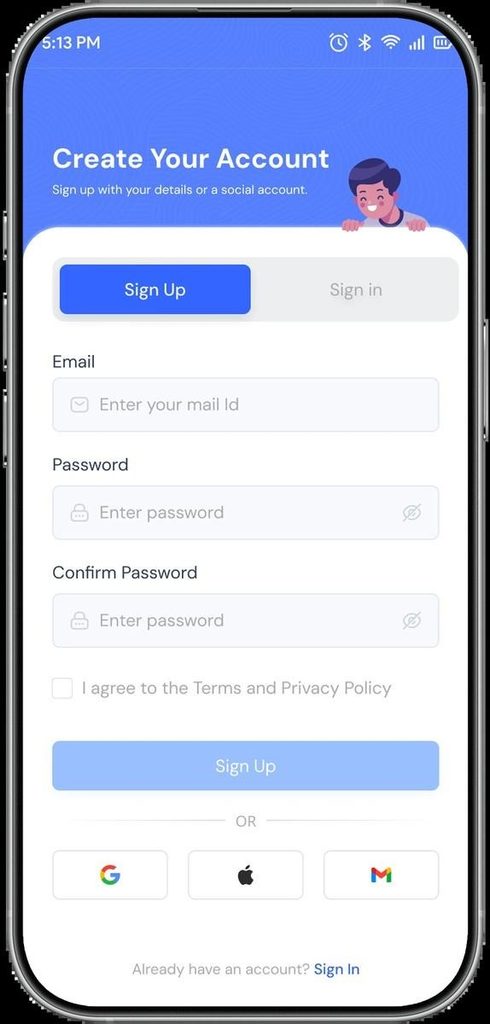
Start by opening the Jojo 66 platform on your phone and looking for the register or sign-up button, which is usually shown clearly on the home screen or near the login area. Tap it to open the registration form. The form will show a small number of fields, and each one should be filled in carefully. Read the label beside each field before you type, so you do not put a number where a name belongs or the other way round. If a field is marked as required, it must be completed before you can move on. Take your time on this screen, because rushing is the most common cause of small mistakes during sign-up.
Step Two: Enter Your Details
Next, enter the details the form asks for, one field at a time. This usually includes your mobile number and a password of your choice, as shown on the form. Type your mobile number slowly and check it twice, because an incorrect number can stop you receiving confirmation messages. Choose a password that is hard for others to guess but easy for you to remember, and avoid simple patterns such as repeated digits. If the form asks you to confirm your password by typing it again, make sure both entries match exactly before you continue to the next step.
Step Three: Confirm and Finish
After filling in the form, look over everything once more before you submit it. Check the spelling of your details, confirm that your mobile number is correct, and read any terms shown on the screen. Then tap the submit or register button to send the form. You may be asked to complete a short confirmation step, such as entering a code sent to your phone. Follow the instructions on the screen and enter the code carefully. Once the confirmation is complete, your account should be ready. Try logging in with your new details to make sure everything works, and keep your password in a safe place.
After Registration: What to Do Next
Once your account is set up, spend a little time getting familiar with it before you play. Open your account or profile section and check that your details look right. Look at the game categories on the home screen and read the short descriptions of a few games that interest you. If you plan to add funds later, find the recharge or deposit section inside your account and read the options shown there, since the choices can change over time. Do not share your password with anyone, and log out if you ever use a shared device. With your account ready and the layout familiar, you can explore the jojo 66 game collection at your own pace, one game at a time.
Registering on Jojo 66 takes only a few careful minutes: prepare your details, fill in the form slowly, confirm your account, and then explore the platform before you play. A calm, correct setup is the best start you can give yourself.