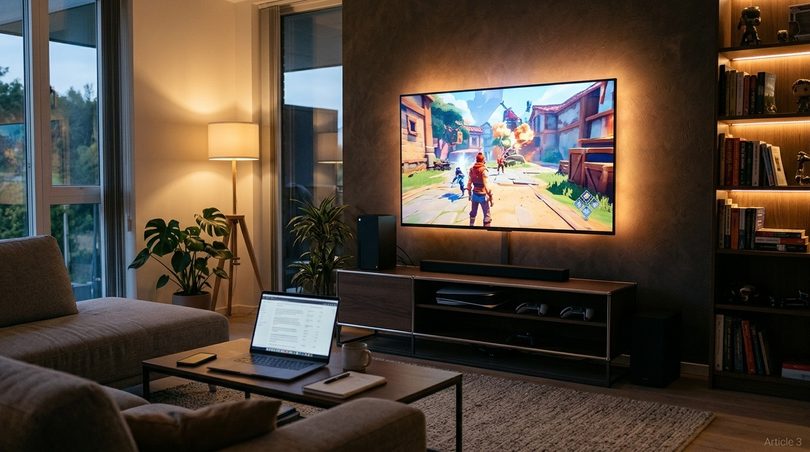

Buying a console or a gaming setup is a big decision. Prices are high, specs are confusing, and marketing language does not always tell the full story.
A little research goes a long way. This guide walks through a practical method for checking hardware before you spend money.
Start With Your Actual Needs
Before you open a single review, decide what you want from the system. Do you play competitive shooters, story-driven adventures, or family party games?
Your answer shapes everything else. A player who wants high frame rates needs different hardware than someone who enjoys slower single-player games.
Write down your top three priorities. They will keep you focused when the options start to multiply.
Learn to Read Console Specifications
Spec sheets can look intimidating, but only a few numbers matter for most buyers:
- Processor and graphics: Determine how well games run.
- Memory: Affects loading and multitasking.
- Storage: Decides how many games you can install.
- Resolution and frame rate support: Tell you what the system can output.
Compare these across models rather than reading them in isolation. A number only makes sense when you have something to measure it against.
Do Not Skip Storage Details
Modern games are large, and many exceed 100 GB. A console with limited storage fills up quickly.
Check whether the system supports expansion and what type of drive it accepts. Some use proprietary cards that cost more than standard drives.
This detail often surprises new buyers after purchase.
Research Your TV or Monitor Too
Your screen matters as much as your console. A powerful system paired with a weak display wastes its potential.
Look for these features:
- HDMI 2.1 support for higher frame rates at high resolution.
- Low input lag for responsive controls.
- Variable refresh rate to reduce screen tearing.
- Game mode for optimized settings.
Check the TV’s specifications rather than relying on a store label that says “gaming ready.”
Understand TV Gaming Boxes
Some players choose small streaming boxes or TV gaming devices instead of full consoles. These are usually cheaper and easier to set up.
However, they often have limits. Performance may depend on your internet speed, and the game library may be smaller.
Read the system requirements carefully. Confirm what games are supported and whether a subscription is needed.
Be Careful With Brand-Style Searches
Many players search for a brand name followed by words like “console” and expect to find a physical product. Sometimes there is none.
Researching terms like a PlayMyWorld Gaming Console clarifies that the name refers to an editorial research category rather than a standalone handheld device. That kind of check prevents you from hunting for hardware that does not exist.
When a name sounds like a product, confirm it on a page that explains what it truly is.
Compare Multiple Sources
No single review tells the whole story. Read at least two or three independent opinions and compare their conclusions.
Look at both professional reviews and long-term user feedback. Professionals test performance, while owners reveal durability and everyday problems.
If sources disagree, dig deeper to see why.
Check Compatibility and Accessories
Before buying, confirm which accessories work with the system. Controllers, headsets, and charging docks are not always interchangeable.
Also check backward compatibility if you own older games. Not every console supports previous libraries.
These small details can add hundreds to your final cost.
Watch for Pricing Traps
Bundles can look generous but include games you do not want. Compare the bundle price to the cost of buying items separately.
Look at warranty terms and return policies as well. A good policy gives you room to test the system at home.
Wait for seasonal sales if you can. Prices often drop during major shopping events.
Final Thoughts
Smart hardware research is about patience and verification. Define your needs, learn the specifications, and confirm what each product or brand name actually represents.
With that approach, you can choose a console and TV setup that fits your budget and your play style, and avoid regret after the purchase.